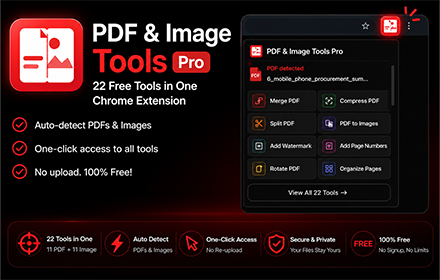
One extension for every PDF and image task. Detects files on any webpage, works with local files, and opens them instantly in 22 free tools — no signup, no limits.
- Extension
- PDF & Image Tools Pro
- Category
- PDF, Images
- Version
- 1.0.0
- Updated
- 2026-07-09
- Price
- Free forever
Features
One Extension for Every PDF and Image Task
- 01Detects both PDFs and images on any webpage automatically
- 0222 free tools: 11 PDF tools + 11 image tools in one extension
- 03Works with local files opened in Chrome from your computer
- 04Smart detection: shows PDF tools, image tools, or both based on the page
- 05Right-click any PDF link or image to open it directly in a tool
- 06No file size limits, no signup, 100% free — always
How it works
22 Professional Tools, All Free, No Signup Required
- 01
Install the extension
Add PDF & Image Tools Pro to Chrome for free from the Chrome Web Store. No account or signup needed.
- 02
Browse any webpage
Visit any page. The extension automatically detects PDFs and images. The icon shows a badge when files are found.
- 03
Pick a file and a tool
Click the extension icon, select the PDF or image you want to work with, then pick a tool. The file opens instantly, pre-loaded and ready to edit.
Use cases
Works on Any Webpage and Local Files from Your Computer
- Students
- Compress lecture slide PDFs before emailing, resize images for assignments, merge notes from multiple PDFs, or convert screenshots to different formats.
- Office workers & freelancers
- Merge reports, watermark contracts, add page numbers, resize product photos, remove image metadata, and convert between formats — all without leaving your browser.
- Bloggers & content creators
- Compress images for faster page loads, resize thumbnails for social media, generate favicons, crop photos, and convert PDFs to shareable images.
- Designers
- Crop screenshots, generate favicon sets from logos, convert SVGs to PNG, organize PDF pages, and strip metadata from client deliverables.
Whether you're a student, content creator, developer, or researcher — the PDF & Image Tools Pro — Edit, Merge & Convert Free is designed to work instantly with no friction.
FAQ
Is this extension really free?
Yes, 100% free. All 22 tools on NowViralFeed.com are free with no limits and no account required. No hidden fees, ever.
What happens when a page has both PDFs and images?
The popup shows two sections — one for PDFs and one for images — so you can choose exactly what you want to work with.
Does it work with files on my computer?
Yes. Open a PDF or image in Chrome (File → Open or drag it in), then click the extension. Enable "Allow access to file URLs" in chrome://extensions → PDF & Image Tools Pro → Details.
What image formats are supported?
JPG, JPEG, PNG, WebP, GIF, BMP, SVG, TIFF, and ICO. The Convert tool lets you switch between any of these formats.
Are my files kept private?
Yes. All processing happens in your browser. Your files are never uploaded to or stored on any server.
Does it work on all websites?
Yes. The extension scans any webpage for PDFs and images and works on all sites, including local files opened in Chrome.
More questions? Visit our full FAQ or contact us.
Next extension
Writing Assistant →