
Free Ad Blocker for Chrome — Block Ads, Trackers & Pop-ups
Block ads, trackers, pop-ups, crypto miners & YouTube ads on every website. Free, fast, 58,000+ rules, no signup. Whitelist sites you love.
Works on Chrome, Brave & Opera · No signup required · Version 2.0.0 · Free forever
Block Every Type of Ad — Completely Free
Blocks 58,000+ ad domains using EasyList, EasyPrivacy, NoCoin & Peter Lowe filter lists
Blocks display ads, video pre-rolls, banner ads, sponsored listings, and ad network scripts on every website
Blocks tracking pixels, analytics beacons, and cross-site tracking scripts that follow you across the web
Blocks crypto miners — NoCoin filter prevents sites from mining cryptocurrency in your browser
Blocks annoying pop-ups, interstitials, cookie consent walls, and social share overlays
Cosmetic filter hides ad placeholder boxes so pages look clean after blocking
YouTube ad skip — automatically skips pre-roll video ads on YouTube
8 toggle controls — turn off specific filter categories while keeping others active
Allow ads this visit (1-hour temp) or whitelist sites permanently with one click
Advertising and analytics platforms permanently bypassed — your marketing and business tools are never affected
Uses Chrome native declarativeNetRequest API — zero CPU overhead, pages load faster
No signup, no account, no data collection, no limits — completely free forever
How to Block Ads in Chrome in 3 Steps
Install Free Extension
Add the ad blocker to Chrome in one click from the Chrome Web Store. No account or signup required. Takes under 30 seconds.
Automatic Blocking Starts
Ads, trackers, pop-ups, and crypto miners are blocked immediately on every website you visit. No configuration needed.
Control Per Site
Click the extension icon on any site to allow ads for this visit (1 hour), whitelist it permanently, or turn off specific filter categories.
Manage Your Whitelist
Visit NowViralFeed.com/adblocker-settings to view, add, and remove whitelisted sites. Supports sites you love by letting their ads through.
Who Uses This Ad Blocker?
Everyday Browsing
Browse the web without being interrupted by display ads, video pre-rolls, pop-ups, or tracking scripts on any website — with zero performance cost.
Privacy-Conscious Users
Stop tracking pixels, analytics beacons, and cross-site scripts from following your activity across the web.
Content Creators & Researchers
Read articles and research without distracting ads breaking your focus, while still supporting sites you love by whitelisting them.
Slow Connection Users
Block ad scripts and images before they download — pages load significantly faster, especially on slower connections and mobile data.
Security-Focused Users
Block crypto mining scripts that abuse your CPU in the background, and prevent malvertising (malware delivered via ad networks).
Whether you're a student, content creator, developer, or researcher — the Ad Blocker — Block Ads, Trackers & Pop-ups Free is designed to work instantly with no friction.
See it in action
Screenshot 1 coming soon
Screenshot 2 coming soon
Screenshot 3 coming soon
Frequently Asked Questions
Is this ad blocker free?+
Does it slow down my browser?+
What does it block?+
Can I allow ads on specific sites?+
Does it block YouTube ads?+
Will it affect my advertising or analytics platforms?+
Does it block crypto miners?+
Does NowViralFeed.com show ads even with this extension?+
More questions? Visit our full FAQ or contact us.
You might also like
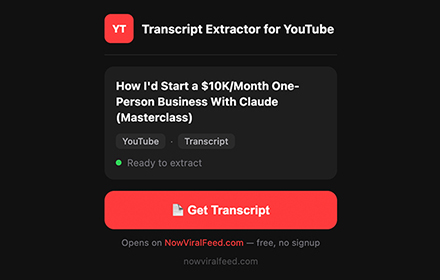

YouTube Transcript Extractor
Extract full transcripts from any YouTube video in one click. Supports timestamps, multiple languages, RTL, filler word removal, and export to TXT, SRT, CSV.
Get Extension →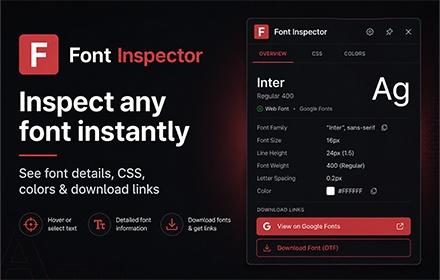

Font Inspector by NowViralFeed
Instantly identify any font on any webpage. Hover to see font family, size, weight, color & CSS. Free Chrome extension.
Get Extension →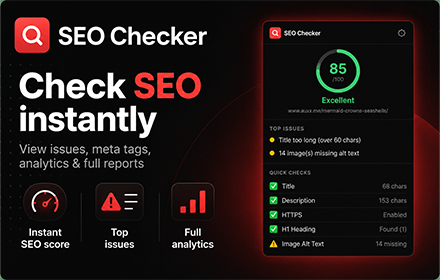

SEO Checker — Free On-Page SEO Audit Tool
Instantly check any webpage's SEO. See meta tags, headings, links, images, Open Graph data, and an overall SEO score. Free Chrome extension, no signup.
Get Extension →