
Free Screen Capture for Chrome — Full Page Screenshots & Annotation
Capture any webpage instantly — full page, visible area, or custom selection. Annotate with arrows, text & blur. Download PNG, JPG, or PDF free.
Works on Chrome, Brave & Opera · No signup required · Version 1.0.0 · Free forever
Capture Any Webpage — Completely Free
Capture the entire page — auto-scrolls and stitches every section, even content below the fold
Capture only the visible part of the page in one click
Capture a custom selection — draw a box around exactly what you need
Capture all open tabs in your window in a single pass
Capture a list of URLs — paste multiple links, get a screenshot of each automatically
Full annotation editor — arrows, rectangles, text labels, and pixelated blur for sensitive info
Save as PNG, JPG, or PDF — completely free, no watermark
Copy to clipboard or print directly from the editor
Adjustable delay timer (3s default, 5s, 10s, or no delay) before capture starts
Undo/redo with up to 20 steps, plus zoom for precise editing
Recent Captures history — last 10 screenshots saved locally, no account needed
Open any capture on NowViralFeed.com for a shareable result page
How to Capture a Screenshot in 3 Steps
Install Free Extension
Add Screen Capture to Chrome in one click from the Chrome Web Store. No account or signup required.
Choose a Capture Mode
Click the extension icon and pick Full Page, Visible Part, Selection, All Tabs, or a List of URLs.
Annotate & Save
Your screenshot opens in the editor. Add arrows, text, or blur, then save as PNG, JPG, or PDF, or copy it instantly.
Who Uses Screen Capture?
Designers & Developers
Capture full-page mockups, bug reports, and UI reference shots without cutting off content below the fold.
Content Creators & Bloggers
Grab clean screenshots of articles, tools, and websites to embed in posts, tutorials, and social content.
Customer Support Teams
Capture full customer issue screens quickly, annotate with arrows and text, and share for faster resolution.
Researchers & Marketers
Capture a list of competitor URLs in bulk to build side-by-side comparisons without visiting each site manually.
Privacy-Conscious Users
Blur out passwords, emails, and personal information before sharing a screenshot with anyone.
Whether you're a student, content creator, developer, or researcher — the Screen Capture — Full Page Screenshot & Annotate is designed to work instantly with no friction.
See it in action
Screenshot 1 coming soon
Screenshot 2 coming soon
Screenshot 3 coming soon
Frequently Asked Questions
Is this screen capture tool free?+
Can I capture the full page including parts not visible?+
What annotation tools are available?+
What formats can I save in?+
Does it work on all websites?+
What is the delay timer for?+
More questions? Visit our full FAQ or contact us.
You might also like
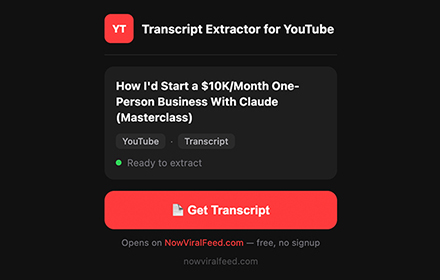

YouTube Transcript Extractor
Extract full transcripts from any YouTube video in one click. Supports timestamps, multiple languages, RTL, filler word removal, and export to TXT, SRT, CSV.
Get Extension →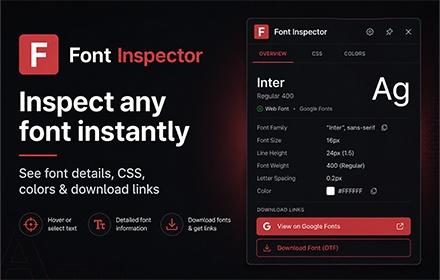

Font Inspector by NowViralFeed
Instantly identify any font on any webpage. Hover to see font family, size, weight, color & CSS. Free Chrome extension.
Get Extension →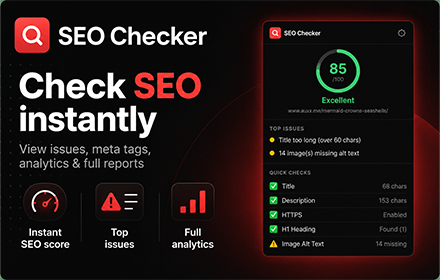

SEO Checker — Free On-Page SEO Audit Tool
Instantly check any webpage's SEO. See meta tags, headings, links, images, Open Graph data, and an overall SEO score. Free Chrome extension, no signup.
Get Extension →