
ColorGrab — Free Color Picker & Eyedropper for Chrome
Pick any color from any webpage instantly. Get HEX, RGB, HSL, CMYK, CSS & Tailwind class in one click. Build live CSS gradients with a magnified loupe picker. Free.
Works on Chrome, Brave & Opera · No signup required · Version 1.0.0 · Free forever
Pick Any Color From Any Webpage Instantly — No DevTools Needed
Single color picker using the native browser EyeDropper API — click any pixel on screen
Shows HEX, RGB, HSL, CMYK, CSS variable, and nearest Tailwind class instantly
Copy any individual format or all formats at once with one click
Gradient picker with magnified loupe overlay — hover any pixel to see zoomed color
Add unlimited color stops from the page to build any gradient
Linear, Radial, and Conic gradient types with live angle control
Live CSS gradient output — copy the full CSS property instantly
Color history — last 10 picked colors saved as clickable swatches
Save color palettes from history and manage them in the popup
View Full Details page: WCAG contrast ratios, color harmonies, all formats
View Gradient Result page: shareable live gradient preview
100% free — no account, no signup, no data collected
How to Pick a Color in 3 Steps
Install Free Extension
Add Color Picker to Chrome from the Chrome Web Store — no account required. Takes under 30 seconds.
Pick a Color or Build a Gradient
Use Single mode to pick any screen color with the EyeDropper, or switch to Gradient mode to pick multiple color stops from any webpage.
Copy Formats or View Details
Instantly see HEX, RGB, HSL, CMYK, CSS var, and Tailwind. Copy any value or open the full details page for harmonies and WCAG contrast.
Who Uses ColorGrab?
Web Designers
Pick any color from any website instantly — no DevTools needed. Get the exact HEX, Tailwind class, and CSS variable ready to paste into your project.
Frontend Developers
Match brand colors precisely from client mockups and generate CSS variables or Tailwind classes with one click. Copy all formats at once.
UI/UX Researchers
Analyze color palettes used across competitor websites and check WCAG AA/AAA contrast ratios for accessibility compliance in seconds.
Brand Managers
Verify that exact brand color values are being used correctly across your website, landing pages, and third-party integrations.
Gradient & CSS Artists
Build custom CSS gradients by picking color stops directly from any inspiration image or webpage, then copy the ready-to-use CSS gradient property.
Whether you're a student, content creator, developer, or researcher — the ColorGrab — Color Picker & Eyedropper is designed to work instantly with no friction.
See it in action
Screenshot 1 coming soon
Screenshot 2 coming soon
Screenshot 3 coming soon
Frequently Asked Questions About ColorGrab
Is ColorGrab free?+
What color formats does ColorGrab show?+
How does the gradient picker work?+
Does ColorGrab work on any website?+
Can I save my picked colors?+
What is WCAG contrast ratio?+
What is the difference between Single Color and Gradient modes?+
More questions? Visit our full FAQ or contact us.
You might also like


YouTube Transcript Extractor
Extract full transcripts from any YouTube video in one click. Supports timestamps, multiple languages, RTL, filler word removal, and export to TXT, SRT, CSV.
Get Extension →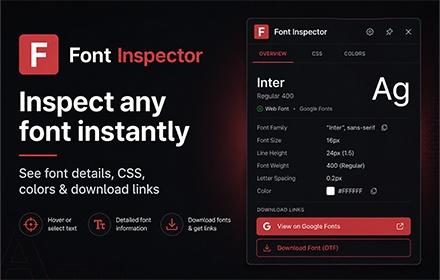

Font Inspector by NowViralFeed
Instantly identify any font on any webpage. Hover to see font family, size, weight, color & CSS. Free Chrome extension.
Get Extension →

SEO Checker — Free On-Page SEO Audit Tool
Instantly check any webpage's SEO. See meta tags, headings, links, images, Open Graph data, and an overall SEO score. Free Chrome extension, no signup.
Get Extension →