
Font Inspector — Identify Any Font on Any Website Instantly
Instantly identify any font on any webpage. Hover to see font family, size, weight, color & CSS. Free Chrome extension.
Works on Chrome, Brave & Opera · No signup required · Version 1.0.0 · Free forever
See Font Name, Size, Weight & Color Instantly as You Hover
Hover tooltip with font family, size, weight, and color
Click to pin font details panel
One-click CSS snippet copy
Detects Google Fonts, system fonts, and web fonts
HEX, RGB, and HSL color values
Alt+F keyboard shortcut to toggle inspect mode
Opens full font details on NowViralFeed
Works on any website, no restrictions
How to Identify Any Font in 4 Steps
Install the Extension
Add Font Inspector to Chrome for free — no signup required.
Click the Extension Icon
Click the Font Inspector icon in your Chrome toolbar to activate inspect mode.
Hover Over Any Text
Move your cursor over any text on the page to see its font details instantly.
Copy CSS or View Details
Click any text to pin the details panel, copy CSS, and view full font information.
Who Uses Font Inspector?
Web Designers
Instantly identify fonts used on competitor sites and inspiration pages without digging through DevTools.
Developers
Get the exact CSS values for any font and copy them directly into your project with one click.
Brand Managers
Check that your brand fonts are being used correctly across all pages and third-party sites.
UI/UX Researchers
Analyze font choices across different websites to inform your own typography decisions.
Whether you're a student, content creator, developer, or researcher — the Font Inspector by NowViralFeed is designed to work instantly with no friction.
See it in action


Frequently Asked Questions
Does Font Inspector work on all websites?+
Can it detect Google Fonts?+
Is it free?+
What is the keyboard shortcut?+
How do I get the CSS for a font?+
More questions? Visit our full FAQ or contact us.
You might also like


YouTube Transcript Extractor
Extract full transcripts from any YouTube video in one click. Supports timestamps, multiple languages, RTL, filler word removal, and export to TXT, SRT, CSV.
Get Extension →

SEO Checker — Free On-Page SEO Audit Tool
Instantly check any webpage's SEO. See meta tags, headings, links, images, Open Graph data, and an overall SEO score. Free Chrome extension, no signup.
Get Extension →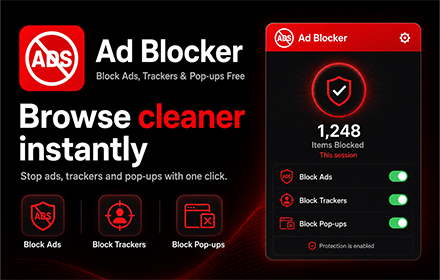

Ad Blocker — Block Ads, Trackers & Pop-ups Free
Block ads, trackers, pop-ups, crypto miners & YouTube ads on every website. Free, fast, 58,000+ rules, no signup. Whitelist sites you love.
🔜 Coming Soon