
SEO Checker — Free On-Page SEO Audit Chrome Extension
Instantly check any webpage's SEO. See meta tags, headings, links, images, Open Graph data, and an overall SEO score. Free Chrome extension, no signup.
Works on Chrome, Brave & Opera · No signup required · Version 1.0.0 · Free forever
Get an Instant SEO Score Out of 100 for Any Webpage
Instant SEO score out of 100 with animated score ring
Top issues list ranked by severity — high, medium, and low
Checks title tag, meta description, H1 heading, HTTPS, canonical URL
Image alt text audit — counts missing and empty alt attributes
Links analysis — internal links, external links, empty links, missing noopener
Open Graph tags check — title, description, image, URL
Structured data (Schema.org) detection and type listing
Viewport and mobile-friendliness check
Full report page with social preview, headings tree, content stats
100% free — no account, no signup, no usage limits
How to Audit Your Page SEO in 4 Steps
Install the Free Extension
Add SEO Checker to Chrome from the Chrome Web Store — no account or login required. Takes under 30 seconds.
Visit Any Webpage
Navigate to any webpage you want to audit. Works on your own site, competitor sites, or any public URL.
Click the Extension Icon
Click the SEO Checker icon in your Chrome toolbar. Your SEO score and top issues appear instantly.
View the Full Report
Click "View Full Report" to open a detailed SEO audit on NowViralFeed with social previews, heading structure, and more.
Who Uses SEO Checker?
SEO Professionals
Quickly audit client pages during site walkthroughs without opening multiple tools. Get an instant score and top issues at a glance.
Bloggers & Content Creators
Check your own blog posts and landing pages before publishing. Catch missing meta tags, bad title lengths, and image alt text issues instantly.
Web Developers
Validate SEO during development and before launch. Catch technical issues like missing canonical tags, viewport problems, and structured data gaps.
Marketers
Analyze competitor pages to understand their SEO strategy — meta tags, heading structure, Open Graph setup, and structured data types used.
Small Business Owners
Check your own business website's SEO without needing a technical background. The score and issues list makes it easy to know what to fix.
Whether you're a student, content creator, developer, or researcher — the SEO Checker — Free On-Page SEO Audit Tool is designed to work instantly with no friction.
See it in action


Frequently Asked Questions
Is SEO Checker free?+
Does SEO Checker send my page data to a server?+
What does the SEO score check?+
Does it work on any website?+
Can I check competitor SEO with this tool?+
What browsers does SEO Checker support?+
More questions? Visit our full FAQ or contact us.
You might also like
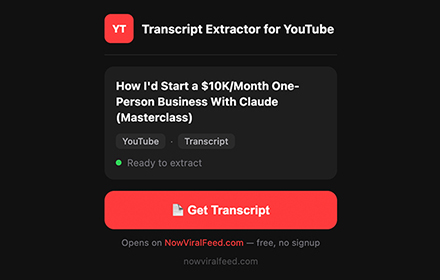

YouTube Transcript Extractor
Extract full transcripts from any YouTube video in one click. Supports timestamps, multiple languages, RTL, filler word removal, and export to TXT, SRT, CSV.
Get Extension →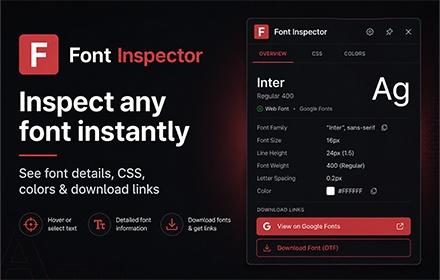

Font Inspector by NowViralFeed
Instantly identify any font on any webpage. Hover to see font family, size, weight, color & CSS. Free Chrome extension.
Get Extension →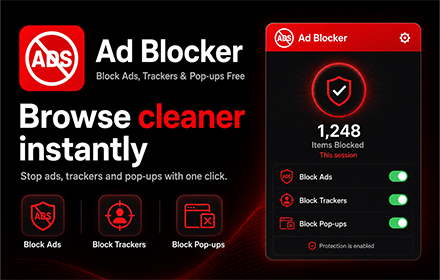

Ad Blocker — Block Ads, Trackers & Pop-ups Free
Block ads, trackers, pop-ups, crypto miners & YouTube ads on every website. Free, fast, 58,000+ rules, no signup. Whitelist sites you love.
🔜 Coming Soon