
YouTube Transcript Extractor — Free Chrome Extension
Extract full transcripts from any YouTube video in one click. Supports timestamps, multiple languages, RTL, filler word removal, and export to TXT, SRT, CSV.
Works on Chrome, Brave & Opera · No signup required · Version 2.0.0 · Free forever
Extract Any YouTube Transcript in One Click — Completely Free
One-click transcript extraction from any YouTube video — get the full YouTube transcript instantly without copying text manually
Support for all YouTube caption languages including auto-generated captions in dozens of languages
Right-to-left (RTL) language support for Arabic, Hebrew, Farsi, and other RTL scripts — displays correctly
Remove filler words (um, uh, like) with one click for cleaner, more readable YouTube transcripts
Export YouTube transcripts to TXT (plain text), SRT (subtitle files), or CSV (with timestamp columns)
Clickable timestamps that jump to the exact video moment — great for referencing specific parts of long YouTube videos
Copy the entire YouTube transcript to clipboard in one click — ready to paste into any document or app
Works with community-contributed subtitles in addition to auto-generated captions
Clean, distraction-free YouTube transcript viewer with no clutter
100% free YouTube transcript tool — no account, no subscription, no hidden costs
How to Extract a YouTube Transcript in 3 Easy Steps
Install the Free Extension
Add YouTube Transcript Extractor to Chrome from the Chrome Web Store. Takes under 30 seconds and requires no account or login. It's completely free.
Open Any YouTube Video
Navigate to any YouTube video that has captions or auto-generated subtitles. The YouTube Transcript Extractor icon will appear in your Chrome toolbar.
Click and Extract
Click the extension icon or the in-page button. Your full YouTube transcript appears instantly with timestamps — ready to copy, export, or search.
Who Uses YouTube Transcript Extractor?
Content Creators
Repurpose YouTube videos into blog posts, newsletters, LinkedIn articles, and social media threads. Extract the full script of your video in seconds and reformat it for any platform.
Students & Researchers
Take searchable notes from educational YouTube videos, save lecture transcripts as text files, and quickly find specific topics without rewatching entire videos.
Marketers & SEO Professionals
Analyze competitor video scripts, extract key messaging and talking points, and research what top YouTube creators are saying in their most-watched videos.
Journalists & Writers
Pull accurate quotes from video interviews and press conferences without manual transcription. Save hours and eliminate transcription errors in your reporting.
Accessibility Users
Read video content as text for hearing-impaired users or in sound-sensitive environments like offices, libraries, or public spaces.
Whether you're a student, content creator, developer, or researcher — the YouTube Transcript Extractor is designed to work instantly with no friction.Try the online transcript viewer →
See it in action


Frequently Asked Questions About YouTube Transcript Extractor
Is the YouTube Transcript Extractor free?+
Does the YouTube transcript extractor work on all YouTube videos?+
Can I download YouTube transcripts as SRT or TXT files?+
Does the YouTube transcript extractor need an API key?+
How do I extract a YouTube video transcript with timestamps?+
Does it work on YouTube Shorts transcripts?+
Can I get YouTube transcripts in Arabic or other languages?+
Why is there no transcript available for some YouTube videos?+
More questions? Visit our full FAQ or contact us.
You might also like
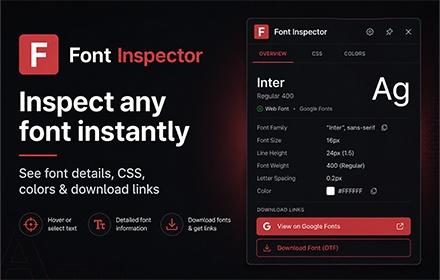

Font Inspector by NowViralFeed
Instantly identify any font on any webpage. Hover to see font family, size, weight, color & CSS. Free Chrome extension.
Get Extension →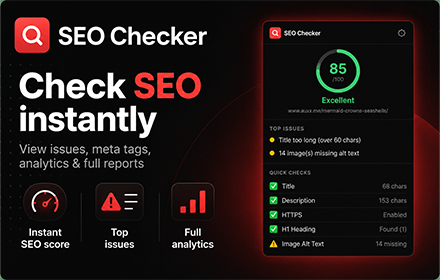

SEO Checker — Free On-Page SEO Audit Tool
Instantly check any webpage's SEO. See meta tags, headings, links, images, Open Graph data, and an overall SEO score. Free Chrome extension, no signup.
Get Extension →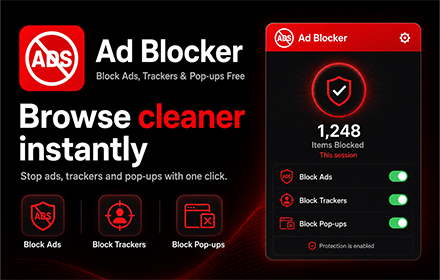

Ad Blocker — Block Ads, Trackers & Pop-ups Free
Block ads, trackers, pop-ups, crypto miners & YouTube ads on every website. Free, fast, 58,000+ rules, no signup. Whitelist sites you love.
🔜 Coming Soon